
Kingdom / Server Transfer Update
Transfer together.
Move as a team.
Kingdom Transfer now has a Team Transfer option. Eligible Lords can form a team, invite friends, and apply to move to a target server together.
5 members
Maximum team size
24 hours
Invitation link validity
Special slots
Required for every member
How Team Transfer Works
The Captain / Team Leader manages invitations, the team application, and final confirmation. King approval and leader confirmation are separate steps.
Create a Transfer Team
Lords who meet the transfer requirements can create a Transfer Team when they have no individual transfer applications.
Invite your friends
The Captain can invite friends to join. Each team can have a maximum of 5 members, and the invitation link is valid for 24 hours.
Apply to the target server
The Team Leader can lead the team in applying for a transfer to the target server. The application can be canceled at any time.
Wait for King approval
All team members occupy special transfer slots. The King can only approve the team’s application when the target server has enough slots for the team.
Confirm the team’s transfer
Once the transfer application is approved and all team members meet the transfer requirements, the Team Leader confirms the team’s transfer.
Member changes cancel applications
If there are any member changes within the team, all transfer applications will be automatically canceled.
Find the New Team Option
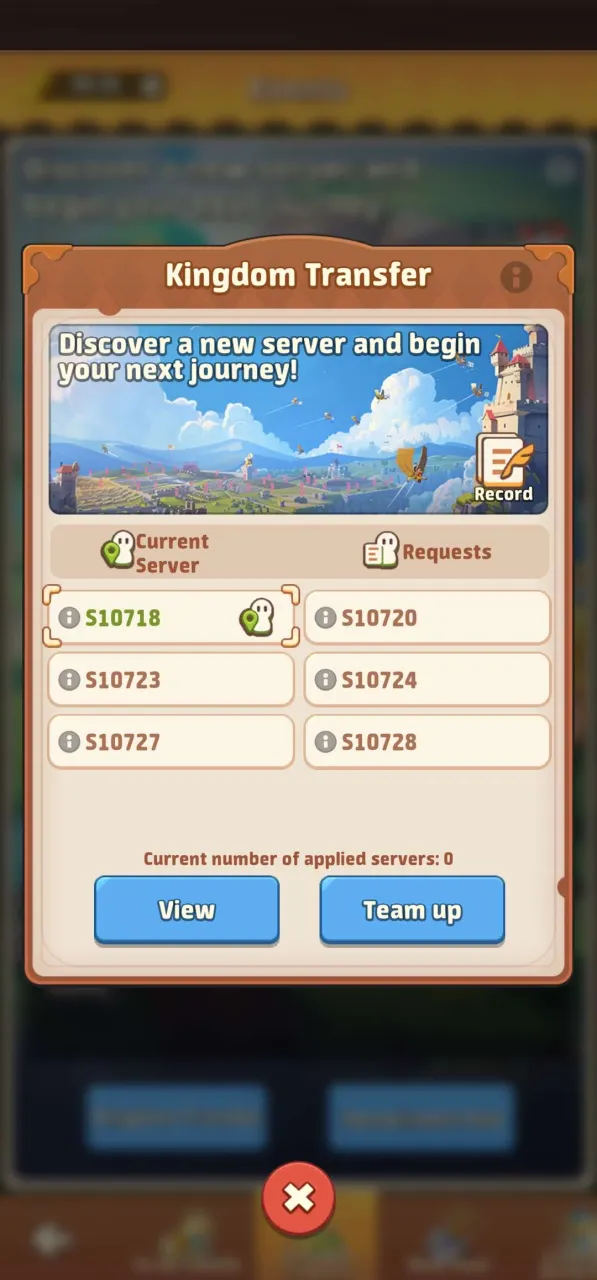
Kingdom Transfer
The Kingdom Transfer screen now includes a Team up button next to View.
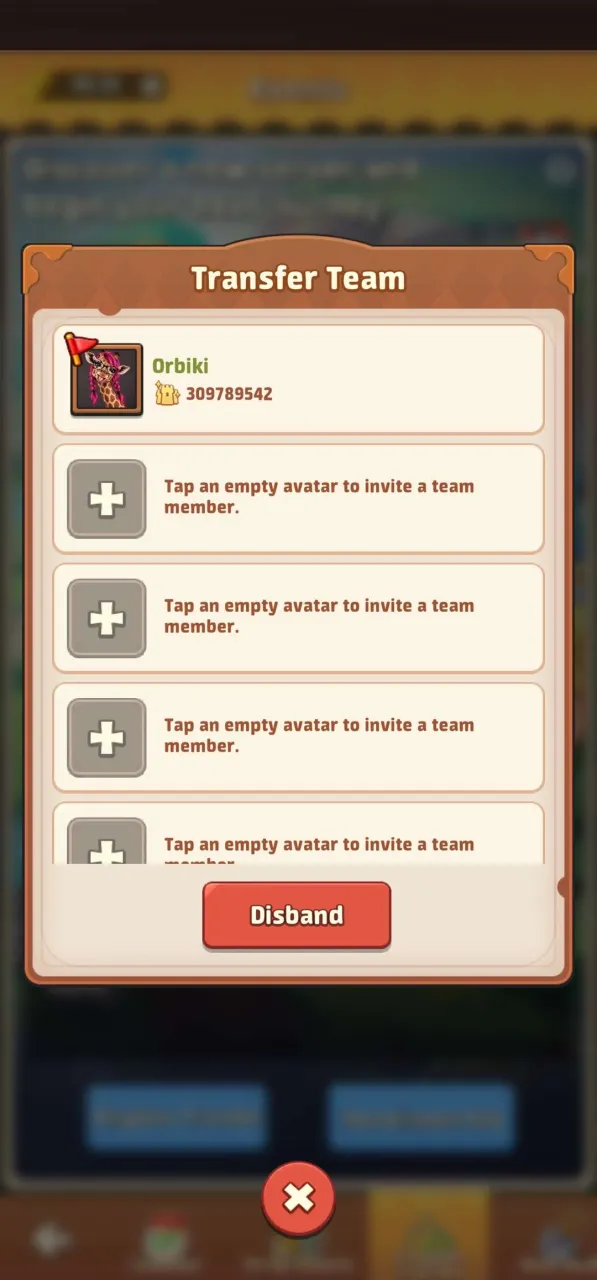
Transfer Team
The team screen shows the Captain and empty member slots. Tap an empty avatar to invite a team member.
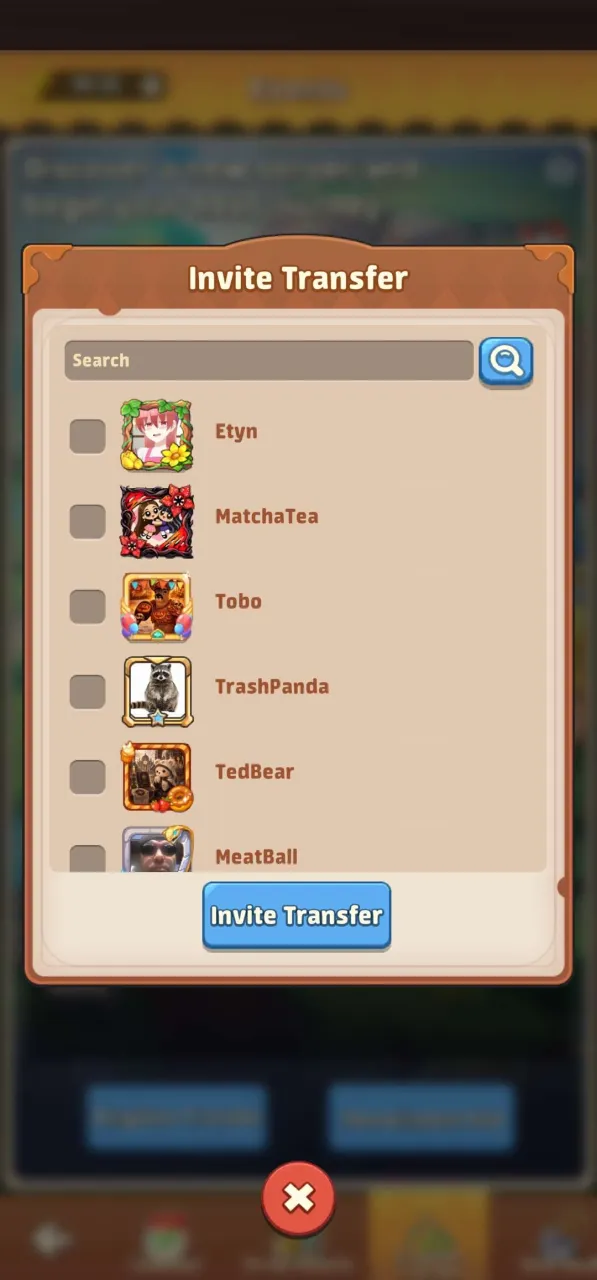
Invite Transfer
The invitation screen lets the Captain search for friends, select them, and use Invite Transfer.
Based on the supplied Team Transfer rules and in-game screenshots. This update covers team transfer; it does not list the individual transfer eligibility requirements.